“Your UPI PIN isn’t the only thing scammers want anymore. In 2026, they can steal your mobile number, take control of your phone, and empty your bank account without you realizing it.”
Introduction
In Part 1, we covered four of the most common UPI scams, including Fake Payment Screenshot, QR Code Scam, Fake Customer Care Scam, and Collect Request Scam. These scams continue to affect thousands of Indians every month.
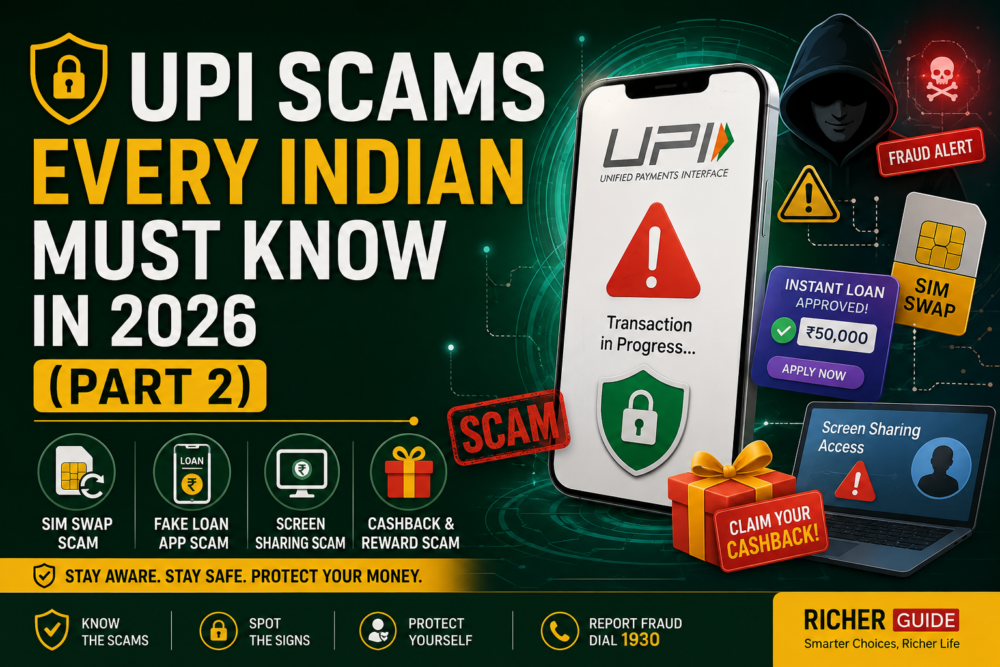
However, cybercriminals are constantly evolving. In 2026, many frauds no longer rely only on fake messages or QR codes. Instead, scammers are using advanced methods such as SIM swapping, fake instant loan apps, screen-sharing software, and fake cashback offers to gain access to your bank account.
The good news is that you can stay safe by understanding how these scams work. In this part of the series, we’ll explain four more dangerous UPI scams with real-life examples, warning signs, and practical prevention tips.
Table of Contents
Why Are UPI Scams Increasing in 2026?
The rise in digital payments has made UPI one of the most popular payment methods in India. Unfortunately, scammers are also becoming smarter.
Some key reasons include:
- More people use UPI for everyday transactions.
- Fraudsters use AI-generated voice calls and fake websites.
- Personal data leaks make phishing attacks easier.
- Many users still don’t know that entering a UPI PIN always authorizes a payment.
- Fake apps and remote-access software are widely available.
Remember:
Technology is becoming smarter, but so are scammers. Awareness is your strongest defense.
How UPI Security Works
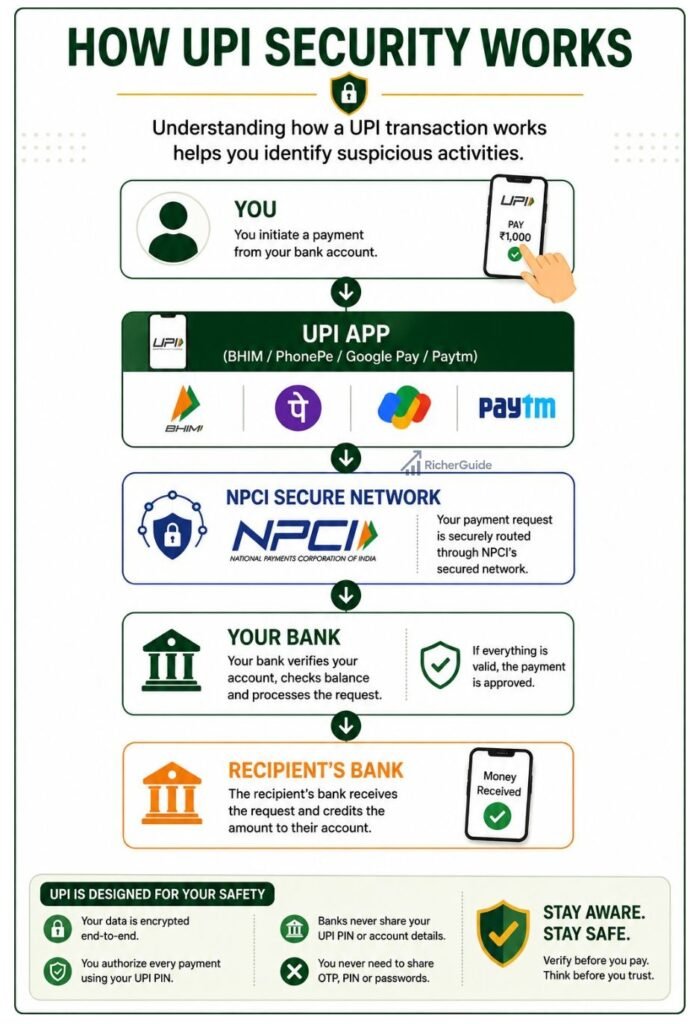
Important Security Rules
✅ Your UPI PIN is only for sending money.
✅ Receiving money never requires your UPI PIN.
✅ Never share OTPs or banking passwords.
UPI Scam 5 – SIM Swap Scam
What is a SIM Swap Scam?
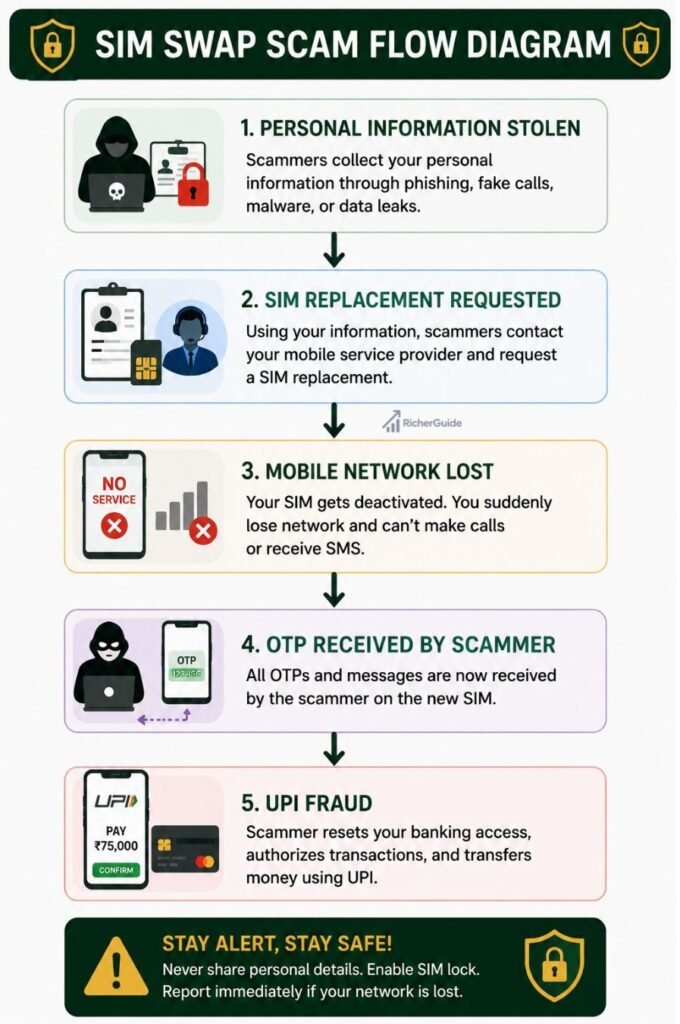
A SIM Swap Scam happens when fraudsters transfer your mobile number to a new SIM card under their control. Once they gain control of your phone number, they can receive OTPs, banking alerts, and even reset your online banking passwords.
Since your UPI account is linked to your registered mobile number, this scam can allow criminals to access your financial accounts.
How Scammers Operate (Step by Step)
- They collect your personal details through phishing, fake KYC calls, or data leaks.
- They contact your mobile operator pretending to be you.
- They request a replacement SIM card.
- Your existing SIM suddenly stops working.
- The scammer receives all OTPs and verification messages.
- They reset banking credentials and initiate UPI transactions.
Real-Life Example
Rahul receives a call asking him to complete a “SIM verification.” He unknowingly shares personal information. A few hours later, his mobile network disappears.
Before he contacts his telecom provider, scammers have already reset his banking password and transferred ₹1.8 lakh using UPI.
Warning Signs
- Mobile network suddenly disappears.
- “No Service” for several hours.
- Unexpected SMS about SIM replacement.
- OTPs stop arriving.
- Unauthorized banking notifications.
How to Protect Yourself
✔ Never share Aadhaar or SIM verification details with unknown callers.
✔ Contact your telecom operator immediately if your SIM stops working unexpectedly.
✔ Enable transaction alerts.
✔ Set strong banking passwords.
✔ Use biometric security in your banking apps.
What to Do If You Become a Victim
- Block your SIM immediately.
- Contact your bank.
- Freeze your UPI services.
- Change banking passwords.
- Report the fraud to Cyber Crime (1930).
UPI Scam 6 – Fake Loan App Scam
What is a Fake Loan App Scam?
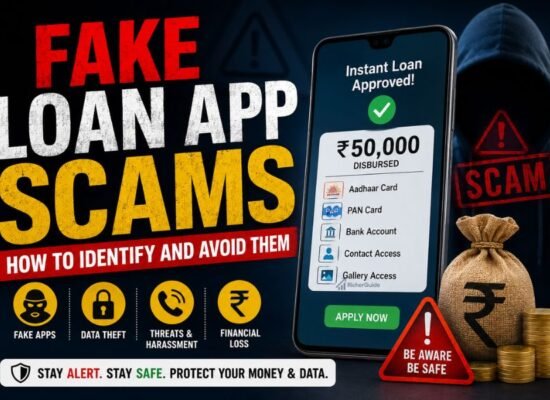
Fraudsters create fake loan apps that promise instant approval with no paperwork. Once installed, these apps request dangerous permissions such as:
- Contacts
- Gallery
- SMS
- Call logs
- Location
- Banking notifications
The app then steals your personal data or blackmails you.
How Scammers Operate
- Victim searches for an instant loan.
- Downloads a fake APK.
- Grants all requested permissions.
- Fraudsters access personal information.
- They demand illegal fees or threaten to leak photos and contacts.
- Some apps secretly capture OTPs and banking notifications.
Real-Life Example
A college student urgently needs ₹15,000. He installs a fake loan app advertised on social media.
The app gains access to his contacts and photos.
Even after repaying the loan, scammers continue demanding more money and threaten to send edited images to his relatives.
Warning Signs
🚩 Loan approval in 2 minutes.
🚩 No income verification.
🚩 APK download outside the Play Store.
🚩 Excessive app permissions.
🚩 Hidden company information.
Protection Tips
- Download apps only from official app stores.
- Verify RBI registration of lenders.
- Read user reviews carefully.
- Never install APK files from WhatsApp or Telegram.
- Avoid apps requesting unnecessary permissions.
If You Become a Victim
- Uninstall the app.
- Revoke app permissions.
- Change banking passwords.
- Report to your bank.
- File a complaint with the Cyber Crime Portal.
- Inform Google Play if downloaded from the Play Store.
Scam Comparison Table
| Feature | Genuine Loan App | Fake Loan App |
|---|---|---|
| RBI Registered | ✅ Yes | ❌ Usually No |
| Transparent Charges | ✅ Yes | ❌ Hidden Fees |
| Official Website | ✅ Yes | ❌ Often Missing |
| Google Play Reviews | Genuine | Fake or Manipulated |
| Privacy Policy | Available | Missing or Fake |
Conclusion
UPI has made digital payments faster, easier, and more convenient than ever before. However, as technology advances, scammers are also finding new ways to exploit unsuspecting users. Scams like SIM Swap Fraud, Fake Loan Apps, Screen Sharing App Scams, and Fake Cashback Offers can lead to financial loss and identity theft if you’re not careful.
The best way to stay safe is to remain informed and alert. Always remember these important safety rules:
- Never share your UPI PIN, OTP, or banking passwords with anyone.
- Download apps only from trusted sources such as the Google Play Store or Apple App Store.
- Avoid installing unknown APK files or screen-sharing applications at the request of strangers.
- Verify loan providers and financial offers before sharing personal information.
- Be cautious of messages or calls promising instant rewards, cashback, or easy loans.
- If your mobile network suddenly stops working without reason, contact your telecom provider immediately, as it could be a SIM swap attack.
- Report any suspicious activity to your bank and the cybercrime authorities without delay.
Cybercriminals often rely on panic, urgency, and lack of awareness not technical weaknesses in UPI. By understanding how these scams work and following basic security practices, you can confidently use UPI while protecting your money and personal information.
In Part 3, we’ll uncover even more advanced UPI scams used in 2026, including fake investment schemes, parcel scams, social media fraud, AI voice scams, and other emerging threats. Stay informed and continue building your digital safety knowledge with RicherGuide.
Disclaimer
The information provided in this article is intended for educational and awareness purposes only. While every effort has been made to ensure the accuracy of the information, cyber threats and scam techniques continue to evolve, and new fraud methods may emerge over time.
RicherGuide does not provide legal, financial, or cybersecurity advisory services. Readers should always verify information through official sources such as their bank, the National Payments Corporation of India (NPCI), the Reserve Bank of India (RBI), and government cybersecurity agencies before making financial decisions or responding to suspicious communications.
If you believe you have been targeted by a UPI scam or online payment fraud:
- Contact your bank immediately and request that your account or UPI services be secured.
- Report the incident to the National Cyber Crime Reporting Portal: https://cybercrime.gov.in
- Call the National Cyber Crime Helpline (1930) immediately to report the fraud and improve the chances of recovering your funds.
- Preserve all evidence, including transaction IDs, screenshots, SMS messages, emails, call recordings, and chat conversations, to assist the investigation.
RicherGuide is not responsible for any financial losses, damages, or actions taken based on the information provided in this article. Always use official banking channels, keep your devices updated, and follow the latest security guidelines issued by your bank, NPCI, and RBI to protect your digital payments.